email tracking
When to Use Email Tracking: A Practical Guide
Learn when to use email tracking, what its signals really mean, and how to follow up respectfully without creating pressure or collecting too much data.
 Mailamber Team11 min read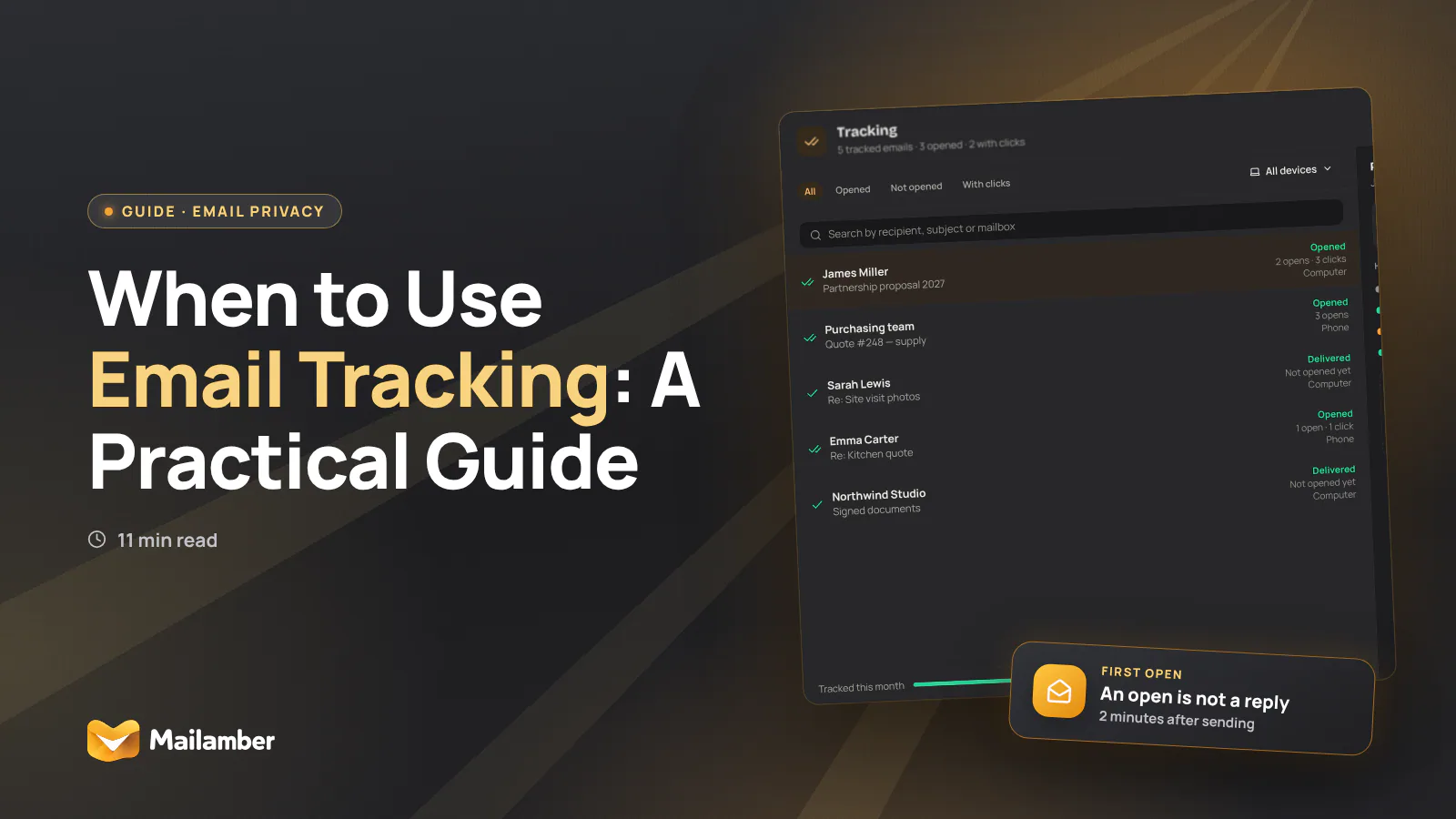
Email tracking is a way to record possible opens, clicks, deliveries or read confirmations, but it cannot prove that someone read, understood or intends to reply. This guide explains when to use email tracking, when to skip it, and how to follow up with care.
What email tracking can and cannot tell you
Email tracking is not one single feature. It can involve several different signals, each with a different level of usefulness.
- Open tracking: A small remote image may report that content was requested. This can suggest that a message was opened, but images may be blocked, cached or loaded automatically.
- Link tracking: A redirect can record that a link was followed. Security tools may scan links before a person clicks, so even this signal needs caution.
- Read receipts: The recipient’s email client may ask them to confirm that a message was opened. They can decline, and support varies between services.
- Delivery notifications: These may show that a message reached a mail server. They do not prove that it reached the right person or was read.
- Campaign analytics: Marketing tools can combine opens, clicks, devices and timing across many messages.
The key difference is between activity and meaning. A click is activity. It does not tell you whether the recipient agreed with the proposal, found it useful or plans to respond.
An open is an even weaker clue. A person may open an email while distracted, or a privacy feature may create an open event without a person looking at the message. Treat tracking as a prompt to make a sensible decision, not as evidence of attention or intent.
For a closer look at the technical details, see this guide to how email tracking works.
When tracking is useful
Tracking is most useful when it answers a specific follow-up question. Before enabling it, name the decision you expect to make.
Time-sensitive coordination
Suppose you send a proposed meeting time and need to know whether to contact the recipient through another channel. A delivery or open signal may help you decide whether a reminder is worthwhile.
It should not replace a confirmation. If the meeting matters, ask for a clear reply or calendar response. Tracking can tell you that a message may have been seen. It cannot tell you that the appointment is accepted.
Support and setup instructions
A support team may send a customer a troubleshooting guide or setup link. A click can show that the customer reached the relevant instructions, which may prevent an unnecessary follow-up.
Keep the signal narrow. There is usually little reason to build a long-term record of every help article a customer opens. Record the action needed to resolve the case, then remove or limit the event data according to your policy.
Account, security and service messages
For account recovery or security workflows, the useful event may be that a particular link was used. That is more relevant than knowing every time the email was opened.
The message should still offer a safe route for help. Avoid treating an open or click as proof that the account holder performed the action without checking the rest of the workflow.
Clear workplace processes
Tracking can make sense in a shared mailbox, ticketing system or formal approval process where everyone understands the status signals. A visible “acknowledged” or “in progress” state is often clearer than a hidden pixel.
It is less appropriate for ordinary workplace messages, especially when a manager is quietly monitoring whether employees read messages outside working hours. Use a policy, explain what is recorded and define how long the information remains available.
Marketing with proper expectations
Analytics can help a business understand whether a newsletter or campaign is reaching readers. In this setting, explain relevant tracking in the privacy information and collect only what is needed for the stated purpose.
Do not use an open event to identify an individual’s mood, interest or availability. If a campaign needs a meaningful response, use a visible survey, form or reply instead.
When to skip tracking
Skip tracking when the information will not change what you do. Curiosity is not a strong operational reason to collect behavioural data.
Tracking is usually a poor fit for:
- Personal messages to friends, family or close colleagues.
- Sensitive conversations about health, finances, legal issues or personal circumstances.
- Job applications and networking messages, unless a tracked process is clearly expected.
- Messages to journalists, activists, confidential sources or vulnerable people.
- Routine internal updates where a reply, task status or calendar response is clearer.
- Messages sent mainly to create urgency, guilt or pressure.
- Emails where discovering a hidden tracker would feel surprising or intrusive.
Context matters. A subscriber may expect some analytics in a newsletter, especially when the organisation explains its approach. A concealed tracker in a personal note carries a different expectation of privacy.
If you would feel uncomfortable explaining the tracking to the recipient, that is useful information. Choose a visible confirmation method or do not track.
A simple decision before you track
Ask these questions in order:
What decision will this signal support?
Write it in one sentence. For example: “If the instructions were not seen, I will send them through the support portal.”Is the decision important enough to justify the data?
If the answer is no, skip tracking.Would the recipient reasonably expect it?
Consider the relationship, message type, workplace policy and privacy notice.Is there a clearer, less invasive option?
A direct reply, calendar response, shared task or visible acknowledgement may give you better information.What is the narrowest useful signal?
Choose one relevant event instead of broad monitoring across messages and links.What will you do if there is no signal?
A missing open does not prove that the recipient ignored you. Have a fair alternative, such as a normal reminder.
The chart is a prompt, not a scoring system. A single strong concern, such as a sensitive context or a hidden power imbalance, may be enough to choose a non-tracking option.
A worked example: one signal, one next step
Maya Patel runs a small design studio. She sends a proposal to Daniel Byrne, the operations lead at a local food company. The proposal includes a project summary and a link to a shared brief.
Maya’s question is not “Is Daniel interested?” That is too broad. Her practical question is: “If the brief has not been seen after two working days, should I send the link through the client portal?”
She chooses a single link signal and explains the purpose in the message:
“I’ve included the project brief here. If the link does not work for you, I can also send it through the client portal.”
Two days later, there is no click. Maya does not assume that Daniel is ignoring her. The link may have been blocked, scanned differently or opened from another system. She sends one short follow-up:
“Hello Daniel, just checking that the project brief reached you. I’m happy to send it through the client portal if that is easier. No need to reply today if the timing has changed.”
This approach keeps the tracking tied to a real decision. It gives Daniel an alternative and avoids turning an uncertain signal into a judgement.
If Maya had no next step in mind, or if the proposal contained sensitive personal information, skipping tracking would have been the better choice.
How to follow up without creating pressure
A respectful follow-up is useful even when you have no tracking data.
Refer to the task, not the tracking event
Say “I’m checking whether the proposal reached you,” rather than “I saw that you opened my email.” The first focuses on the shared task. The second can feel like surveillance, particularly if the recipient did not expect tracking.
Give a practical reason for writing
Explain what you need and why. Keep the request small: confirm a date, choose between two options or tell you whether the project is still relevant.
Offer an easy alternative
A recipient may prefer a phone call, portal message or calendar invitation. Offer another route when the matter is genuinely time-sensitive.
Leave room to decline
Useful language includes:
- “If this is no longer a priority, just let me know.”
- “If someone else handles this, I’m happy to contact them.”
- “No action is needed if the timing is not right.”
- “I’ll close this thread for now and leave the choice with you.”
Set a reasonable stopping point
One reminder may be enough. For an important business process, state when you will move on or close the request. Do not keep sending messages because an open signal appeared.
For more practical wording and timing ideas, see this guide to following up when nobody replies.
Privacy, consent and professional boundaries
Tracking can involve personal data, including an identifier connected to a message, event timing or information about a click. The legal requirements depend on the country, the technology, the relationship and the purpose.
In the EU and UK, consider transparency, a lawful basis where required, data minimisation, retention and the recipient’s rights. The GDPR text and the ICO guidance are useful starting points, but they are not a substitute for advice on a particular workflow.
Marketing messages may also involve rules about electronic communications and cookies or similar technologies. Do not assume that a general privacy policy makes every form of hidden tracking acceptable. Explain material practices in plain language and check the rules that apply to your organisation.
Practical safeguards include:
- Define the purpose before collecting an event.
- Prefer an opt-in or visible confirmation where appropriate.
- Avoid collecting precise location, device or timing data unless necessary.
- Limit access to tracking records.
- Set a retention period and delete data when it is no longer needed.
- Do not use opens to infer health, mood, availability or consent.
- Give recipients a non-tracked way to communicate where practical.
- Use tracker blocking and remote-image controls when you do not need tracking.
Mailamber offers opt-in read receipts per message, so a sender can choose a visible confirmation workflow instead of treating hidden open tracking as the default. Even then, an “opened” status can be missed when the recipient blocks images and should never be treated as guaranteed proof of reading.
Common mistakes to avoid
Treating an open as a reply
An open does not mean agreement, interest or permission to proceed. Ask for the response that actually matters.
Sending a second message too quickly
A missing signal may reflect a blocked image, a busy day or a different mail system. Follow up according to the importance of the task, not the absence of an event alone.
Tracking every message
More data does not automatically create better decisions. Repeated tracking can make ordinary communication feel monitored and can create unnecessary records.
Hiding the purpose
If tracking is relevant to the relationship or workflow, explain it clearly. A short, honest explanation is better than relying on a recipient never noticing.
Keeping event data forever
Tracking logs can outlive their usefulness. Decide how long the information is needed and restrict access to people who genuinely need it.
Using tracking to create pressure
Do not write “I know you read this” to force a reply. That turns an uncertain technical signal into an accusation and can damage trust.
FAQ
Is email open tracking accurate?
No. Images can be blocked, cached or loaded by automated systems and privacy services. An open event is only a possible sign that the message was viewed, not proof that it was read or understood.
When should I use email tracking?
Use it when a specific, legitimate follow-up decision depends on a possible open, click or confirmation. Make sure the recipient would reasonably expect the workflow and that a less invasive option would not work better.
Is a read receipt more respectful than a tracking pixel?
Often, because it is visible and gives the recipient more control. Read receipts are optional and are not supported consistently, so they still cannot guarantee that the content was carefully read.
What is the best alternative to email tracking?
Ask for a direct reply, use a calendar response or create a visible task status. These options usually provide clearer evidence of agreement or progress than an open event.
Can tracking be a privacy issue?
It can be, depending on what is collected, why it is collected and how it is explained. Review the rules that apply to your context, minimise the data and avoid tracking when it mainly creates pressure.
email trackingprivacyfollow-upemail tips
Newsletter
One calm email, every two weeks.
One email every two weeks: Mailamber news, guides on email and privacy, practical tips. No spam. Unsubscribe in one click.

Check your inbox
We’ve sent a confirmation link to . One click and you’re in.
Can’t find it? Take a look in your spam or Promotions tab.
Still nothing after a few minutes? Subscribe again with the same address and we’ll resend the link.

Read also
Official Mailamber guides on the same topic
- Email tracking: privacy and legal obligationsWhat data Mailamber’s email tracking collects, why it’s kept to a minimum, and what to consider when informing recipients under the GDPR and ePrivacy rules.
- Tracking Pro: link click tracking and unlimited trackingWhat Mailamber’s Tracking Pro add-on includes (link clicks, unlimited tracked emails and follow-ups), how much it costs, and how to turn it on and off.
- How email tracking worksTicks shared between PC and phone, the Tracking view, what counts as an open and what doesn’t (scanners, Apple, Gmail), the timeline, notifications and the monthly quota.